अमेझिंग
 G
★ 4.82,585,506 ratings
1,000,000,000+ downloadsGoogle Play installs
1.26.463.00.90Current on APKTube
Nov 11, 2026Last updated
Screenshots


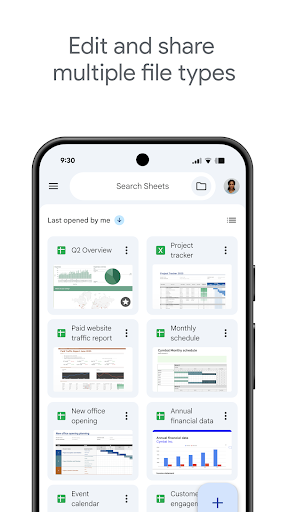

About Google Sheets
Create, edit, and collaborate on spreadsheets from your Android phone or tablet with the Google Sheets app. With Sheets, you can:
- Create new spreadsheets or edit existing files
- Share spreadsheets and collaborate in the same spreadsheet at the same time.
- Work anywhere, anytime - even offline
- Add and respond to comments
- Format cells, enter or sort data, view charts, insert formulas, use find/replace, and more
- Never worry about losing your work – everything is saved automatically as you type
- Quickly get insights, insert charts, and apply formatting with smart suggestions
- Open, edit, and save Excel files.
Google Sheets is part of Google Workspace: where teams of any size can chat, create, and collaborate.
Google Workspace subscribers have access to additional Google Sheets features, including:
- Easily add collaborators to projects, see changes as they occur, receive notifications for edits that happen while you’re away, and chat with colleagues in the same spreadsheet. All changes are automatically saved as you make them. And with offline access, you can create, view, and edit files wherever and whenever
- Get insights fast, powered by Google AI
- Work seamlessly across Sheets and Excel
- Maintain control with enterprise-grade security
- Analyze data from other business-critical tools
- Build custom solutions
Learn more about Google Workspace: https://workspace.google.com/products/sheets/
Follow us for more:
Twitter: https://twitter.com/googleworkspace
Linkedin: https://www.linkedin.com/showcase/googleworkspace
Facebook: https://www.facebook.com/googleworkspace/
App information
- Package name
- com.google.android.apps.docs.editors.sheets
- Developer
- Google LLC
- Version
- 1.26.463.00.90
- Last updated
- Nov 11, 2026
What’s new
* Bug fixes and performance improvements
App versions
Choose a saved release and the appropriate device variant. Older versions may lack security updates.
No releases have been added to the version archive yet.
Google Play reviews
These reviews are from Google Play, not submitted on APKTube. View on Google Play ↗
Hate Google! Fraud Company.
👍 good 👍
it's dope
Madan Vishnu Waghmare
easy to use
great for tracking
very nice
good
just awesome. it is very special to use sheets.
nice working place
Love it, cloud services are excellent
very useful
add arrow keys for left and right because data entry is difficult to enter with out arrow keys
Developer reply
Hi Asim. We'd like our users to have the best possible experience with the Google Sheets app. We'll share your feedback with our product team. Thanks!
Good
ok
good 👍
good
I'm new here
😊