all my files became corrupt and the data usage was through the roof. minus 4 stars
 C
Android app
Cast to TV - Screen Mirroring
Video Player & Cast to TV
screenmirroring.casttotv.tvcast.chromecastPage views: 0
★ 4.619,908 ratings
1,000,000+ downloadsGoogle Play installs
1.8.0Current on APKTube
Nov 10, 2026Last updated
Screenshots




About Cast to TV - Screen Mirroring
Cast to TV allows you to easily cast your phone screen to smart TV. With this app, you can quickly cast your videos, photos, and music to the big screen with just a few taps. Cast to TV supports the most popular streaming devices, letting you enjoy high-quality streaming of your favorite content in real time.
🌟 Key Features
- Cast movies, web video, photo slideshow, and more
- Easy to control TV: pause, fast forward, adjust volume, subtitle
- Screen Mirroring: Mirror your phone screen in real time to the bigger screen
- Support the most popular streaming devices
- Remote control for TV
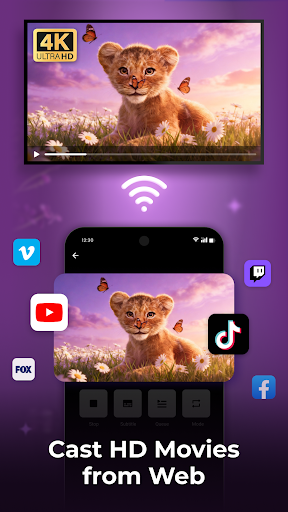
- Built-in browser for web video cast
- Playlists: play media in shuffle, loop or repeat mode.
- Play History
- HD Video Player: enjoy a high quality watching experience
💡 Supported Devices:
- Smart TVs: Sony, Samsung, LG TV, etc.
- Apple TV
- Fire TV, Xbox
- Web Browser, PC, PS4
- Chromecast
📺 Cast to TV
Whether you want to watch your favorite TV shows, enjoy a live stream, or just show off your holiday photos, Cast to TV makes it easy. Just select your favorite movie and watch it in full HD.
✨ Screen Mirroring
Mirror your mobile device's screen on your TV, and show off photos and videos to your friends and family. It allows you to play your favorite games on the big screen, giving you a much more realistic and immersive experience.
🏆 Easy to Control
You can control basic video functions such as play, pause, adjust volume, switch between channels, and even enter text with the keyboard to search for movies.
🏅️ Web Browser
Cast to TV offers a built-in web browser that allows you to cast web videos to TV. It also offers a range of other features, including bookmark, playback history, and different resolutions. And you can block pop-ups and ads to keep unwanted advertisements from distracting you.
Thank you for choosing our Cast to TV app! If you have any suggestions or issues, please don't hesitate to contact us at [email protected].
App information
- Package name
- screenmirroring.casttotv.tvcast.chromecast
- Developer
- Video Player & Cast to TV
- Version
- 1.8.0
- Last updated
- Nov 10, 2026
What’s new
✨ Enables HD Mirroring for high-quality display
🌐 Enables Web Mirroring to mirror device screen to TV browser
🚀 UI and user experience optimized
App versions
Choose a saved release and the appropriate device variant. Older versions may lack security updates.
No releases have been added to the version archive yet.
Google Play reviews
These reviews are from Google Play, not submitted on APKTube. View on Google Play ↗
I would give it zero stars if I could, the app doess not do what is said in the advertisement
Excellent app
it doesn't do what it says you have to have a TV you can't project on the wall that's false advertising. also just to be clear in the ad is specifically says you don't have to have a TV projected to a wall check the anything it even shows in the description of a woman holding the phone to the table with some kids they call it cast TV and then the whole advertisement misrepresents what it actually does be careful with this app it doesn't do anything it says except for connect to a TV don't liste
You have to get premium to do anything
cool 🤷♀️
its the best app
they did not refund my money i already sent a message via mail but they dont respond.refund my money and i will change my review
Developer reply
Hi! We're sorry for the trouble. Have you already submitted a refund request through Google Play? If so, was it approved, denied, or is it still pending? Please let us know the status so we can help you understand the next steps. For your privacy, please don't share payment details publicly. Thanks!
good
Excellent
nice
this is really fetch
The ad sold a false pretense.the ad said you could use your flash as a cast on a wall .i had to see what a scam it was.
False advertising! Flash casting non-existent. Absolute rubbish advertising. Wouldn't pay for this rubbish lying app for a basic feature that streaming apps already have built into their system.
good
trash. it's pay only and is a complete stickler about it.
Developer reply
Hi! Sorry for the frustrating experience. We understand your concerns about paid features. Subscriptions are intended to provide additional functionality, and we want the available options to be clear. Could you tell us which feature required payment when you tried to use it? Your feedback will help us improve. Thanks!
worthless
amazing
awesome
Pay pay payy