una gran opción de trabajo.
 G
aplicación de Android
Google Sheets
Google LLC
com.google.android.apps.docs.editors.sheetsVistas de página: 0
★ 4,82.585.506 calificaciones
1,000,000,000+ downloadsInstalaciones de Google Play
1.26.463.00.90Actual en APKTube
Nov 11, 2026Última actualización
Capturas de pantalla



Acerca de Google Sheets
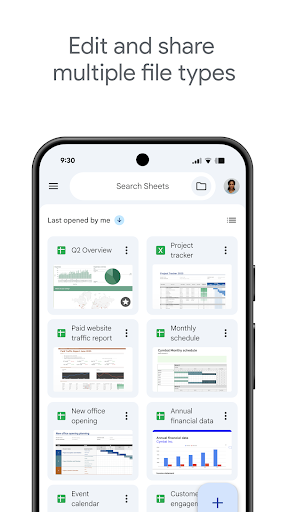
Create, edit, and collaborate on spreadsheets from your Android phone or tablet with the Google Sheets app. With Sheets, you can:
- Create new spreadsheets or edit existing files
- Share spreadsheets and collaborate in the same spreadsheet at the same time.
- Work anywhere, anytime - even offline
- Add and respond to comments
- Format cells, enter or sort data, view charts, insert formulas, use find/replace, and more
- Never worry about losing your work – everything is saved automatically as you type
- Quickly get insights, insert charts, and apply formatting with smart suggestions
- Open, edit, and save Excel files.
Google Sheets is part of Google Workspace: where teams of any size can chat, create, and collaborate.
Google Workspace subscribers have access to additional Google Sheets features, including:
- Easily add collaborators to projects, see changes as they occur, receive notifications for edits that happen while you’re away, and chat with colleagues in the same spreadsheet. All changes are automatically saved as you make them. And with offline access, you can create, view, and edit files wherever and whenever
- Get insights fast, powered by Google AI
- Work seamlessly across Sheets and Excel
- Maintain control with enterprise-grade security
- Analyze data from other business-critical tools
- Build custom solutions
Learn more about Google Workspace: https://workspace.google.com/products/sheets/
Follow us for more:
Twitter: https://twitter.com/googleworkspace
Linkedin: https://www.linkedin.com/showcase/googleworkspace
Facebook: https://www.facebook.com/googleworkspace/
Información de la aplicación
- Nombre del paquete
- com.google.android.apps.docs.editors.sheets
- Desarrollador
- Google LLC
- Versión
- 1.26.463.00.90
- Última actualización
- Nov 11, 2026
Qué hay de nuevo
* Bug fixes and performance improvements
Versiones de la aplicación
Elige una versión guardada y la variante adecuada para el dispositivo. Las versiones antiguas pueden no incluir actualizaciones de seguridad.
Todavía no se han añadido versiones al archivo.
Reseñas de Google Play
Estas reseñas proceden de Google Play, no se publicaron en APKTube. Ver en Google Play ↗
excelente
excelente :)
Muy útil.
genios
Excelente opción vs Excel
chevere
exelente
bien
muy buena
te adaptas rápido
excelente
muy simples
me gusta empiezo a usarlo no puedo decir mas pero me gusta
mucho errores constantemente tarda mucho en abrir un archivo o genera error
muy buena aplicación
aún no lo pruebo
muy bien
excelente me ayuda mucho
👍🫵