es fluida y carga rápido
 C
aplicación de Android
Cast to TV - Screen Mirroring
Video Player & Cast to TV
screenmirroring.casttotv.tvcast.chromecastVistas de página: 0
★ 4,619.908 calificaciones
1,000,000+ downloadsInstalaciones de Google Play
1.8.0Actual en APKTube
Nov 10, 2026Última actualización
Capturas de pantalla




Acerca de Cast to TV - Screen Mirroring
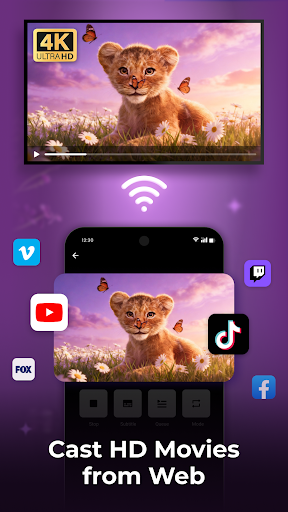
Cast to TV allows you to easily cast your phone screen to smart TV. With this app, you can quickly cast your videos, photos, and music to the big screen with just a few taps. Cast to TV supports the most popular streaming devices, letting you enjoy high-quality streaming of your favorite content in real time.
🌟 Key Features
- Cast movies, web video, photo slideshow, and more
- Easy to control TV: pause, fast forward, adjust volume, subtitle
- Screen Mirroring: Mirror your phone screen in real time to the bigger screen
- Support the most popular streaming devices
- Remote control for TV
- Built-in browser for web video cast
- Playlists: play media in shuffle, loop or repeat mode.
- Play History
- HD Video Player: enjoy a high quality watching experience
💡 Supported Devices:
- Smart TVs: Sony, Samsung, LG TV, etc.
- Apple TV
- Fire TV, Xbox
- Web Browser, PC, PS4
- Chromecast
📺 Cast to TV
Whether you want to watch your favorite TV shows, enjoy a live stream, or just show off your holiday photos, Cast to TV makes it easy. Just select your favorite movie and watch it in full HD.
✨ Screen Mirroring
Mirror your mobile device's screen on your TV, and show off photos and videos to your friends and family. It allows you to play your favorite games on the big screen, giving you a much more realistic and immersive experience.
🏆 Easy to Control
You can control basic video functions such as play, pause, adjust volume, switch between channels, and even enter text with the keyboard to search for movies.
🏅️ Web Browser
Cast to TV offers a built-in web browser that allows you to cast web videos to TV. It also offers a range of other features, including bookmark, playback history, and different resolutions. And you can block pop-ups and ads to keep unwanted advertisements from distracting you.
Thank you for choosing our Cast to TV app! If you have any suggestions or issues, please don't hesitate to contact us at [email protected].
Información de la aplicación
- Nombre del paquete
- screenmirroring.casttotv.tvcast.chromecast
- Desarrollador
- Video Player & Cast to TV
- Versión
- 1.8.0
- Última actualización
- Nov 10, 2026
Qué hay de nuevo
✨ Enables HD Mirroring for high-quality display
🌐 Enables Web Mirroring to mirror device screen to TV browser
🚀 UI and user experience optimized
Versiones de la aplicación
Elige una versión guardada y la variante adecuada para el dispositivo. Las versiones antiguas pueden no incluir actualizaciones de seguridad.
Todavía no se han añadido versiones al archivo.
Reseñas de Google Play
Estas reseñas proceden de Google Play, no se publicaron en APKTube. Ver en Google Play ↗
genial
es lo mejor lo que parece me le recomiendo que la descarguen me encanta amo esto
GENIAL LA APLICACIÓN YA TRASMITI MI PELÍCULA FAVORITA SPIDER-MAN UN NUEVO DÍA Y SE QUEDA VINCULACIÓN EL NOMBRE DE DISPOSITIVOS GRACIAS SE PUEDE PONER MAS VIDEOS DSTA GENIAL
bueno
fantástico
Muy buena, pero deben tener una oferta por 6 meses o un sño
es mentira no es como muestra en el video te dice q pongas la marca de tu tv y hay pocas marcas y después te dice q tenés q pagar no se lo instalen
genial
peor aplicación 🈸
rre garcaaas
cumple sin problemas
excelente
ANTONIO. Lopez TORRES
muy bien
adictivo
No te deja probar sin poner tarjeta.
Respuesta del desarrollador
¡Hola! Lamentamos las molestias. ¿Te solicita un método de pago al activar la prueba gratuita o al abrir la app? Cuéntanos qué ocurre para que podamos ayudarte. ¡Gracias!
muy buena pero lo malo es que hay que pagar
Funciona bien
firme