バグが多すぎる。共同編集が使いにくい
 G
★ 4.82,585,506 評価
1,000,000,000+ downloadsGoogle Play のインストール
1.26.463.00.90APKTube の現在のバージョン
Nov 11, 2026最終更新日
スクリーンショット



について Google Sheets
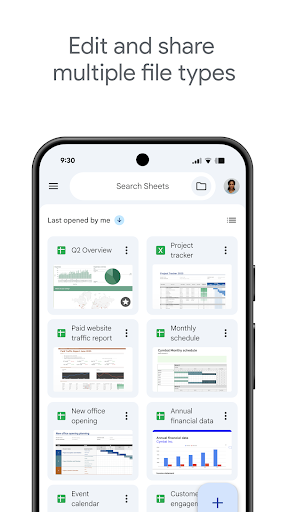
Create, edit, and collaborate on spreadsheets from your Android phone or tablet with the Google Sheets app. With Sheets, you can:
- Create new spreadsheets or edit existing files
- Share spreadsheets and collaborate in the same spreadsheet at the same time.
- Work anywhere, anytime - even offline
- Add and respond to comments
- Format cells, enter or sort data, view charts, insert formulas, use find/replace, and more
- Never worry about losing your work – everything is saved automatically as you type
- Quickly get insights, insert charts, and apply formatting with smart suggestions
- Open, edit, and save Excel files.
Google Sheets is part of Google Workspace: where teams of any size can chat, create, and collaborate.
Google Workspace subscribers have access to additional Google Sheets features, including:
- Easily add collaborators to projects, see changes as they occur, receive notifications for edits that happen while you’re away, and chat with colleagues in the same spreadsheet. All changes are automatically saved as you make them. And with offline access, you can create, view, and edit files wherever and whenever
- Get insights fast, powered by Google AI
- Work seamlessly across Sheets and Excel
- Maintain control with enterprise-grade security
- Analyze data from other business-critical tools
- Build custom solutions
Learn more about Google Workspace: https://workspace.google.com/products/sheets/
Follow us for more:
Twitter: https://twitter.com/googleworkspace
Linkedin: https://www.linkedin.com/showcase/googleworkspace
Facebook: https://www.facebook.com/googleworkspace/
アプリ情報
- パッケージ名
- com.google.android.apps.docs.editors.sheets
- 開発者
- Google LLC
- バージョン
- 1.26.463.00.90
- 最終更新日
- Nov 11, 2026
新機能
* Bug fixes and performance improvements
アプリのバージョン
保存済みバージョンと端末に適したバリアントを選択してください。古いバージョンにはセキュリティ更新がない場合があります。
バージョンアーカイブにはまだ追加されていません。
Google Play のレビュー
これらは Google Play のレビューで、APKTube に投稿されたものではありません。 Google Play で見る ↗
もし特にこだわりがなければPC用ブラウザ版を使うべき。 機能が不十分、かつ操作性が悪い。 せめてスマホからもテーブルを作れるようにしてほしい。 まあスマホから使えるだけ良いのかなと妥協するなら星2、といった感じ。
欄の上にある「A」「B」「C」…と、欄の左にある「1」「2」「3」…の名称を変えれるようにしてほしい
GASの利用ができないため
パソコンで扱う前提なのは画面サイズ的に仕方の無いことだと思いますが、もう少しWeb版での機能をアプリに移植して欲しいです。iPadで扱う時に結局ブラウザで開くのでアプリの必要性が感じられず……
グーグルスプレッドシートで在庫管理出来ますよ
良いと思います。
エラーが多すぎる
これは便利
OK
私は趣味でこれがないと楽しみが全くなくなります。私のたった一つの、楽しみです。
illegal, dictator
よろしい。
シートの使いやすさは最適。
サイ
使いやすくて、何よりスマホで作成、編集できるのが良いです。
構文に若干の差異はあるもののExcelやNumbers同様に関数も使えるし贅沢を望まなければ充分使える印象です 条件付き書式がセルの色指定のみだったり、ユーザー定義が使えなかったり色々ありますが、個人的には満足しています
よい。でもEXCELと比べちゃうとまだな部分も多い
扱いやすい
編集しても同期されない