關於 Canva: AI Photo & Video Editor
Canva is your free photo editor, logo maker, collage maker, and video editor in one editing app! Design digital art faster with powerful magic AI tools built-in, like the AI image generator that allows you to transform text to image in just a few minutes Make stunning social media posts and reels, presentations or flyers, create logos, CVs, photo collages and video collages from customizable templates.
Edit photos & design anything with the AI art generator🖌️: Video editor, collage maker, meme maker, CV maker & logo maker – Canva is a simple & easy graphic design app 🎨
Canva features: AI art generator, photo editor and video maker
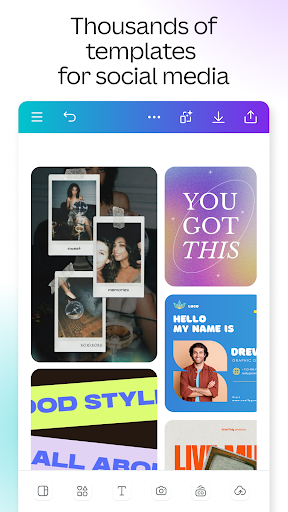
• Facebook posts, Instagram layout designs, banners, Instagram post-maker & Instagram reels maker.
• Professional invitation maker, flyers & resume templates.
• Display data with templates, presentations & slideshow maker.
AI EDITING APP 📷 – free, no ads, no watermarks
• Generate videos with sound with Google's Veo3 model
• Image editor to crop, flip, & edit photos. Background eraser and blur.
• Picture editor to adjust brightness, contrast, saturation, etc.
• Auto Focus to sharpen photo subject & blur background.
• Add text to photos.
• Use the photo grid, photo filters, photo layout & photo collage maker to create digital art.
AI VIDEO EDITOR 🎥 – create videos in a few taps
• Produce professional videos in the video editor.
• Explore video layout & audio tracks in the video maker.
• Crop, resize, and flip videos & images in the video editor.
• Easy video editing: Make images move with one-tap animations & page transitions in the video maker.
• Overlay multiple audio tracks of music, sound effects, & voiceovers.
• Apply effects like slow motion and reverse playback, add subtitles to a video collage, or a new background to your green screen video.
• Magically sync edits to music with Beat Sync, for quick video editing
SOCIAL MEDIA 📱 – make and match trendy content & graphic designs
• Design for Instagram, Snapchat, Facebook, YouTube or LinkedIn.
• Plan posts with Scheduler [Canva Pro].
• Use our banner maker for thumbnails & ads.
• Collage maker, picture editor & video maker to create photo grids & collages.
FREE CONTENT LIBRARY – over 2M+ assets
• 2M+ royalty-free images & photo filters
• Thousands of watermark-free videos to use in the video editor
• 25K+ pre-licensed audio & music tracks
• Add text on pictures in the photo editor with 500+ fonts & effects
• Or create your own images with our magic Text to Image tool
AI MAGIC BUILT-IN ✨ – Bringing magic and ease of use to your designs
We’ve supercharged design across the Visual Suite with incredible magical AI-powered capabilities. Including;
• Canva AI - Type in anything you can imagine and let Canva make designs, images, and videos for you
• Magic Edit - Swap, or add anything to your existing images
• Translate - Automatically translate designs in 100+ languages
• Magic Eraser - Remove objects from any image.
• Veo3 - Create realistic videos in seconds.
CANVA PRO – The editing app to boost your graphic design
• Access premium templates, images, videos, logo maker, audio & graphic design elements + create stunning videos in the video editor
• One-click Background Remover & Magic Resize for photos and videos
• Brand - Store your logos with the logo maker, fonts, & colors
• Schedule posts for Instagram & Facebook
GRAPHIC DESIGN FOR EVERYONE 🎨
• Personal - Layout designs for Instagram templates, resumes, photo editor, photo collages, logo maker, video editor, etc.
• Entrepreneurs - Grow your business with our logo maker, video editor, poster maker & Magic Presentations.
• Students & teachers - Engage with presentations & worksheets
• Social Media Managers & Content Creators - Use the photo editor, logo maker, collage maker & video editor for brand visuals & mood boards
Create easily with Canva! The all-in-one app for graphic design, photo editor & video editor.
 C